Codex MCP setup for sales, outbound and GTM
Quick answer
Codex MCP uses the Model Context Protocol to connect Codex to outside tools. For sales and go-to-market (GTM) work, add OXYGEN's hosted server and sign in, or use the OXYGEN CLI (command-line tool) with Codex skills. Both routes research accounts, build lists, draft sequences and update customer records. Codex controls tool permissions; OXYGEN checks approval flags and credit ceilings. Set Codex to ask before writes and paid work.
 By Tim Scheuer, Co-founder of Oxygen · Updated October 25, 2026
What a GTM team hands to Codex
Hand Codex the GTM jobs a rep repeats every week: account research, list building, enrichment, sequences and reply handling. It also updates your customer relationship management (CRM) records. Codex types the commands, and OXYGEN holds the data, runs the sends and keeps the bill.
Codex is a coding agent, but it runs the same loop a sales rep runs all day. It reads context, runs a command, checks the result and tries again. What it lacks out of the box is the GTM side: a place where accounts, leads, sequences, replies and pipeline live. That place also needs rules about what costs money and what reaches a prospect. OXYGEN is that place.
A typical week of work you can hand over looks like this. Most of it is reading and drafting, and the parts that spend credits or contact a person stop for your yes.
- Account research: an AI research column that researches each company and cites its sources, plus hiring, funding, news and tech-stack searches on credits.
- List building and enrichment: people and company search previews, then email and phone waterfalls across 17 and 13 providers, each provider charged only on a hit.
- Sequences: email, LinkedIn and WhatsApp steps in one sequence, up to 26 versions of a step, and a stop when a lead replies on any channel.
- LinkedIn steps: visits, invites, messages, InMail, follows, likes and comments, run in the cloud from a connected account.
- CRM updates: companies, people and deals in the built-in CRM, with two-way HubSpot sync.
- Reply handling: one inbox with AI triage and drafted answers, and replies filed on the lead's record.
How do you set up a Codex MCP server?
Add a Codex MCP server with codex mcp add, then sign in with codex mcp login. Codex keeps these servers in ~/.codex/config.toml, or .codex/config.toml inside a trusted project. Each server is a [mcp_servers.<name>] table: a command for a local server, or a url for a hosted one.
The Codex CLI, the IDE extension and Codex in the ChatGPT desktop app share this configuration on the same machine. You connect OXYGEN once and switch between them.
For a hosted server, codex mcp add <name> --url <address> writes the entry and codex mcp login <name> runs the OAuth sign-in. Inside the terminal UI, /mcp shows which servers are live. Per server you can also allow or deny single tools and set how Codex asks before calling them, which matters for a GTM workspace and is covered below.
CLI or MCP from Codex: which path for which job
The OXYGEN CLI is the primary path in Codex. It carries the full command surface and returns one JSON envelope with a web_url on every state-bearing command. It also exits with a code Codex can branch on: exit 7 means an approval or spend gate stopped the command and nothing was spent.
The hosted MCP server is optional. Connect it on the core profile (?toolset=core), OXYGEN's default. Core lists a bounded set of tools plus a capability search, and every other tool stays callable by exact name. Since Codex CLI 0.142.2, Codex also loads MCP tools through its own tool search by default, when the model and provider support it.
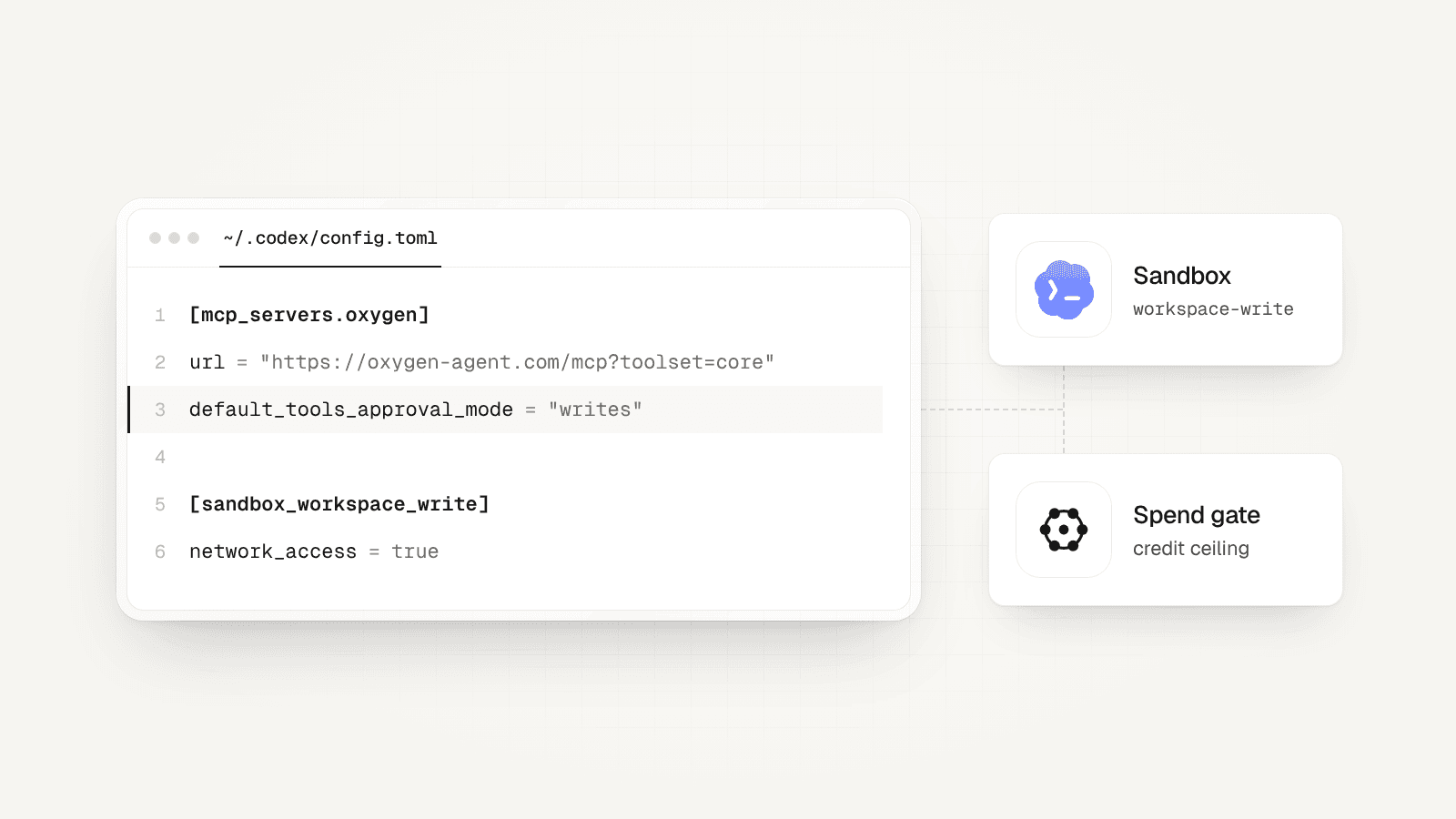
One Codex detail changes the CLI path. In the default workspace-write sandbox, OpenAI turns network access off for the commands Codex runs. Commands that read or change your OXYGEN workspace need network access. Codex can ask you to approve those calls, or you can allow network in config.toml.
MCP connections sit outside that command sandbox, so the MCP path works with network still off. Use the CLI for bulk work and file imports, and MCP when you would rather not open the shell to the network.
Sources: OpenAI: Codex agent approvals and security, OpenAI: ChatGPT and Codex changelog
Two approval layers: Codex's sandbox and OXYGEN's spend gate
Codex has its own controls. The sandbox mode (read-only, workspace-write or danger-full-access) decides what a command can touch, and the approval policy (such as on-request or never) decides when Codex stops to ask. For MCP tools, default_tools_approval_mode takes auto, prompt, writes or approve. The writes mode makes Codex prompt for any tool not marked read-only, and OpenAI notes that Codex asks before a tool that declares itself destructive. OXYGEN's tools declare which ones only read.

Those controls govern Codex. They do not know what a lead costs or whether a message reaches a buyer. OXYGEN's gate does. Previews and dry runs are free. A paid provider call, an enrichment run, a sequence launch, a LinkedIn action or a CRM sync refuses to run without an explicit approval flag. Paid provider calls, enrichment runs and AI column runs also need a credit ceiling.
A sequence's credit cap is optional, so set one when it has paid steps such as AI-written comments. For MCP calls, writes makes Codex ask before tools that can change data. For CLI calls, keep shell network off and use on-request to review network access. Enabling shell network removes that prompt. OXYGEN still checks approval flags and credit ceilings. Skip --yolo for prospecting work.
Sources: OpenAI: Model Context Protocol in Codex, OpenAI: Codex agent approvals and security
Teach Codex your outbound rules with AGENTS.md and skills
Codex reads AGENTS.md before it starts work. It reads a global file in ~/.codex, then one per directory from the project root down, with closer files winning. That is the place for GTM rules you never want to repeat in a prompt. Keep a small folder for outbound work and put your rules in its AGENTS.md.

Skills are the other half. A Codex skill is a folder with a SKILL.md that Codex loads when a task matches its description, or when you type $ and name it. The command oxygen skills install --agents codex installs one OXYGEN skill per feature (tables, enrichment, sourcing, the sequencer) plus onboarding. Codex then learns the right commands without loading the whole manual.
- Always preview or dry-run first, and show me the credit estimate.
- Never pass --approved until I say yes in this chat, and keep --max-credits at 50 unless I raise it.
- Read workspace context: the ideal customer profile (ICP), buyer roles and voice, before writing copy.
- Import CSVs with oxygen tables import, never by pasting rows into a prompt.
Sources: OpenAI: Custom instructions with AGENTS.md, OpenAI: Build skills for ChatGPT and Codex
The DIY route: Codex plus Apollo, lemlist, Instantly and Clay servers
You can connect Codex to the tools you already pay for. Apollo offers a first-party plug-in for coding tools such as Codex and a standalone MCP server. lemlist documents codex mcp add lemlist with its hosted URL. Instantly hosts a server that exposes every V2 API endpoint as a tool. Clay's MCP brings its data providers, research agents and your team's workflows into ChatGPT, Claude and Codex.
For work within one of these tools, its own server is the shortest path. The cost shows up when the job spans tools. Codex then holds the glue. It matches each person across tools, stops a LinkedIn step when an email reply lands and writes the outcome back to the CRM. It also adds up credits from four vendors that each confirm actions in their own way. Someone on the team maintains that in AGENTS.md files and scripts.
OXYGEN puts lead data, tables, sequences across email, LinkedIn and WhatsApp, the inbox and the CRM in one workspace with one approval rule and one credit balance. It also pushes leads into lemlist and Instantly campaigns if you keep them.
Sources: Apollo: Apollo MCP documentation, lemlist: Set up the lemlist MCP server in your LLM client, Instantly: MCP introduction, Clay: Clay MCP guide
Set up OXYGEN in Codex

Install the CLI and sign in
Needs Node.js 22.22 or newer. oxygen login prints a URL and a code; approve it in your browser. It works when Codex runs it for you, too.
npm install -g @oxygen-agent/cli oxygen loginInstall the OXYGEN skills for Codex
Installs one skill per OXYGEN feature plus onboarding. Pass --skill <name> to install a single one.
oxygen skills install --agents codex --jsonLet oxygen commands reach the network
Codex's default workspace-write sandbox has network off. Keep it off to review networked CLI calls. This optional setting allows network in ~/.codex/config.toml and removes those prompts for commands Codex runs, so decide deliberately.
[sandbox_workspace_write] network_access = trueAdd the hosted MCP server (optional)
Use the core profile, OXYGEN's default. It lists a bounded set of tools plus a capability search, and every other tool stays callable by name. Quote the URL so your shell keeps the question mark, then complete the OAuth sign-in.
codex mcp add oxygen --url "https://www.oxygen-sales.com/mcp?toolset=core" codex mcp login oxygenMake Codex ask before OXYGEN writes
Under [mcp_servers.oxygen] in ~/.codex/config.toml, add this line. Codex then prompts for every OXYGEN tool that is not marked read-only.
default_tools_approval_mode = "writes"Check the connection
These calls are read-only and spend no credits. status confirms the CLI matches the server; whoami shows your user, workspace and onboarding markers.
oxygen status --json
oxygen whoami --json
oxygen capabilities search "enroll leads in a sequence" --json
What to type into Codex, and what OXYGEN does
Research a target account list
Take the 40 accounts in our Q4 target table. For each, find whether they are hiring SDRs or AEs and summarize their sales motion in two lines with a source.What you getCodex adds an AI research column and a hiring search to the table, shows the credit estimate from a preview, and runs only after you approve a ceiling. Each answer cites where it came from.
Build and enrich a lead list
Find heads of sales at US B2B SaaS companies with 50 to 300 employees, put 200 in a new table and get work emails.What you getA free search preview first, then a table and an email waterfall preview with the expected credits. After your approval, providers are tried in order, and each charges only for an email it finds. Rows with no LinkedIn URL also pay for up to eight checks of guessed addresses.
Draft a multichannel sequence
Write a four-step sequence for this table: email, LinkedIn visit and invite, follow-up email, LinkedIn message. Use our voice page. Stop on any reply.What you getCodex drafts the sequence with your workspace voice applied. Drafting needs no approval; launching it does, with a cap on live sends. LinkedIn steps run from your connected account, which carries account risk.
Update the CRM after a campaign
Create a deal for every company where someone replied positively this week and attach the reply.What you getDeals land in the built-in pipeline with the reply on the activity timeline. Pushing the change to HubSpot is a sync step that asks for approval first.
Work through today's replies
Summarize today's replies by intent and draft answers for the interested ones. Do not send anything.What you getCodex reads the inbox, where replies are already triaged, and returns drafts with a link to each thread. Nothing goes out until you approve the send.
What OXYGEN does not do here
- No contact database of its own: lead data comes from providers on credits, or from Apollo's database on your own Apollo key.
- No Salesforce sync. HubSpot syncs both ways and Attio one way.
- No inline widgets in Codex: open the web_url in each result to see a table or run.
- No SMS steps, and calls in a sequence are still in beta.
- It does not make LinkedIn automation risk-free: connected accounts can still be restricted by LinkedIn.
Frequently asked questions
What is Codex MCP?
It is how Codex calls tools outside your files. You list a server in ~/.codex/config.toml (or with codex mcp add) and sign in with codex mcp login if it uses OAuth. Codex can then call its tools in the CLI, the IDE extension and Codex in the ChatGPT desktop app. OXYGEN's hosted server is https://www.oxygen-sales.com/mcp; use ?toolset=core with Codex.
Do I need both the CLI and the MCP server?
No. The CLI with the OXYGEN skills covers everything and is the primary path in Codex. Add the MCP server if you want to keep the shell sandbox offline, or if teammates use Codex in the desktop app and prefer a sign-in to a terminal install. Both call the same contract, so a table made in one shows up in the other and in the web app.
Can Codex send emails or LinkedIn messages without asking me?
Yes, if you let Codex pass approval flags without asking. OXYGEN checks the flag, not your chat with Codex. Launches, sends and paid calls need explicit approval flags; paid calls and enrichment runs also need a credit ceiling. A sequence's credit cap is optional. Tell Codex in AGENTS.md to wait for your yes. Use on-request with shell network off, or the MCP server with writes, to review calls before they run.
What does it cost to run outbound from Codex with OXYGEN?
OXYGEN is one plan per workspace from $49 a month, paid in credits, with no seat per user. The free plan includes 250 credits once, the CRM, tables and workflows; adding a sending account needs a paid plan. Each connected LinkedIn account is $34 a month. Your Codex usage is billed by OpenAI separately.
Why not connect Apollo, lemlist and Clay to Codex directly?
For work inside one tool, their own servers are a good choice. Across tools, Codex has to stitch them: dedupe leads, stop other channels on a reply, write results to the CRM and track several credit balances. OXYGEN keeps that in one workspace with one approval rule, and can still push leads into lemlist or Instantly campaigns.
Is the Codex setup different from the Claude Code setup?
The OXYGEN side is the same CLI, skills and MCP server, on the core profile by default. The Codex side differs: servers live in config.toml, and the shell sandbox has network off by default. The Claude Code page covers its own setup and permission model.
Related
Sources
- OpenAI: Model Context Protocol in Codex, checked October 25, 2026
- OpenAI: Codex agent approvals and security, checked October 25, 2026
- OpenAI: Custom instructions with AGENTS.md, checked October 25, 2026
- OpenAI: Build skills for ChatGPT and Codex, checked October 25, 2026
- OpenAI: ChatGPT and Codex changelog, checked October 25, 2026
- Apollo: Apollo MCP documentation, checked October 25, 2026
- lemlist: Set up the lemlist MCP server in your LLM client, checked October 25, 2026
- Instantly: MCP introduction, checked October 25, 2026
- Clay: Clay MCP guide, checked October 25, 2026
Updated October 25, 2026. OXYGEN's own prices and limits come from the product and its live price list. The other products named here are trademarks of their owners and are not affiliated with OXYGEN. Something out of date? Tell us.