Clay vs Apollo: split the jobs, price each one, then pick
Quick answer
Clay vs Apollo comes down to who does the work. Apollo suits reps who find, email and call people from one tool, paid per seat. Clay suits a team with one builder who pulls data from many providers into tables, paid per team workspace, with free seats. Use both when Clay's lists feed Apollo's sequences and dialer. OXYGEN fits one job neither tool runs in one sequence: email plus LinkedIn steps that run on their own.
 By Tim Scheuer, Co-founder of Oxygen · Updated November 2, 2026
What is the difference between Clay and Apollo?
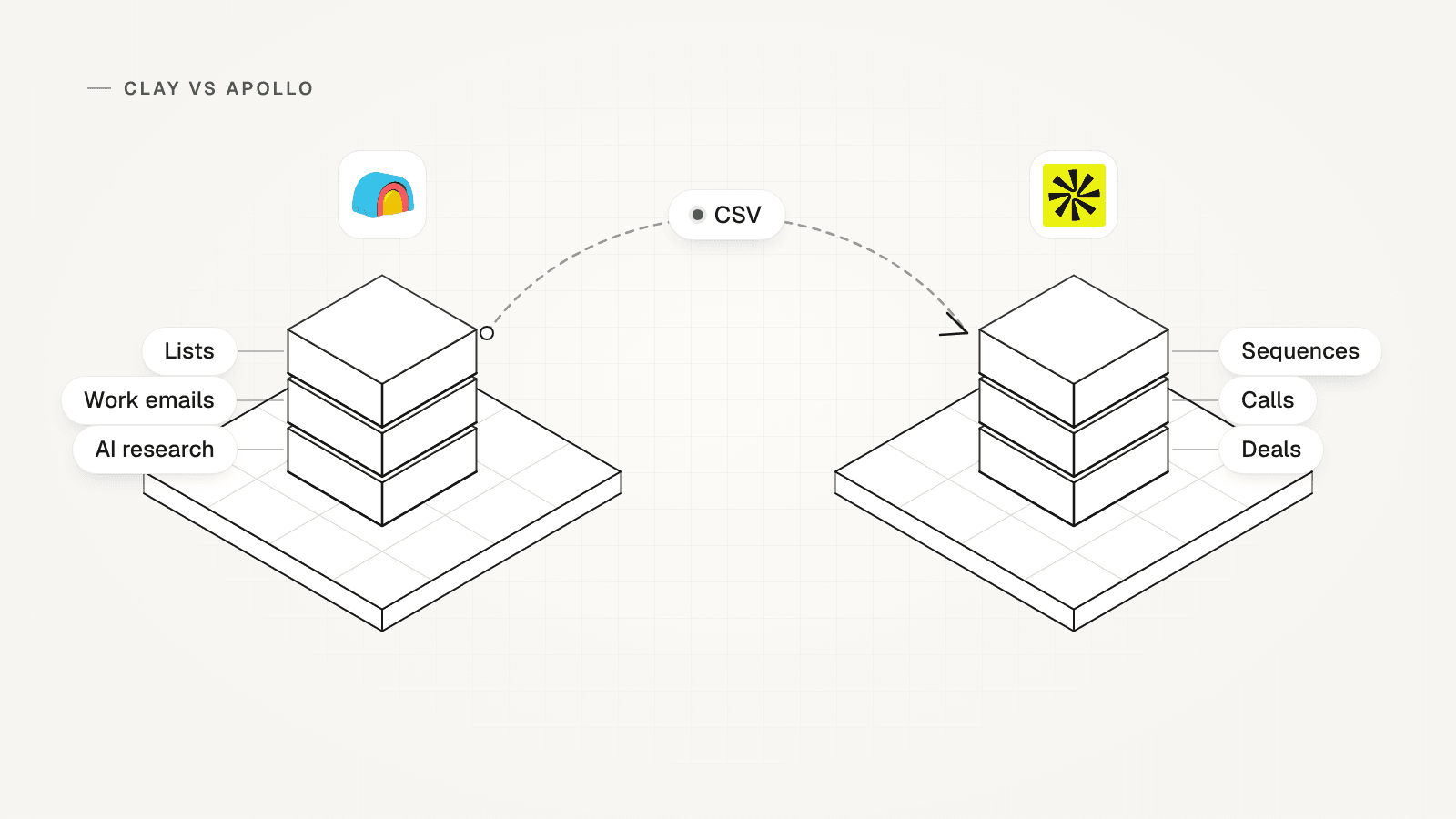
Apollo is a contact database with selling tools on top. Clay is a workspace of tables that buys data from many providers and passes it on.
Apollo sells access to its own database, which it puts at 240 million contacts and 30 million companies. Reps search it and spend credits to reveal emails and phone numbers. Then they run sequences (timed series of emails, calls and tasks) and track deals in the same tool. Each person needs a seat.
Clay works like a spreadsheet that fills itself in. It buys data from 150 or more providers and tries them in turn, a waterfall, until one finds the value. Claygent, its AI agent, researches each row on the web. Clay then sends the rows to its email Sequencer, a CRM (your record of contacts and deals) or another tool.
Sources: Apollo pricing: plans, credits and FAQ, Clay pricing, Clay docs: Work Email waterfall, Clay docs: getting started with Sequencer, Clay FAQ: adding people to a workspace
Clay vs Apollo pricing: how does each one charge?
Apollo charges per seat, and each seat brings credits. Clay charges per workspace on two meters, actions and data credits, and seats are free. Prices are in US dollars, as of November 2, 2026.
In August 2026, OXYGEN co-founder Tim Scheuer wrote that seat pricing is giving way to usage-based or flat fees. His line: "Nobody wants to pay per seat for software an agent operates." That is a dated market view, not a measured comparison. Plan detail is in Clay pricing and Apollo pricing.
- Apollo Basic: $49 a seat a month billed yearly, with 30,000 credits per seat a year, or $65 monthly with 2,500 per seat a month.
- Apollo Professional: $79 a seat billed yearly or $99 monthly, with 48,000 credits per seat a year or 4,000 a month. Organization costs $119 a seat, billed yearly, for 3 seats or more.
- Apollo credits are shared by the whole team and do not roll over. An email costs 1 credit and a phone number 8.
- Clay Launch: $185 a month, or $167 billed yearly, with 15,000 actions and 2,500 data credits. Growth: $495, or $446 billed yearly, with 40,000 actions and 6,000 data credits.
- A Clay action is one unit of work: a lookup, an AI run or a record sent to another tool. Data credits pay for the data itself.
- On Clay, a lookup that finds nothing costs nothing. Unused data credits roll over within limits, and unused actions expire at the end of each billing cycle.
Sources: Apollo pricing: plans, credits and FAQ, Clay pricing, Clay docs: actions and data credits, Clay docs: plans and billing, Tim Scheuer on LinkedIn: six trends from 80+ GTM tools (August 2026)
Clay vs Apollo, job by job: what each does and its unit of cost
Each tool's unit of cost per job, from its own pages on November 2, 2026. Clay's per-job credits and actions are its pricing calculator's planning values, not a quote.
| Job | Clay | Clay's unit of cost | Apollo | Apollo's unit of cost |
|---|---|---|---|---|
| Find people | Searches its database and its data providers from a table | No actions or data credits to find people in Clay's database | Searches its own database of 240 million contacts | No credits to search, per its developer docs; credits start when you reveal an email or phone number |
| Work emails | A waterfall tries providers in turn and stops at the first valid email | 1 data credit and 3 actions per email in Clay's calculator; nothing for a miss | Its own data first, then any waterfall sources you add, from Basic | 1 credit per email; each waterfall source that returns data charges too |
| Mobile numbers | From Launch; not on Free or in the trial | 5 data credits and 3 actions per number in Clay's calculator | Reveals a mobile number on a contact | 8 credits per number, with no refund for mobile numbers |
| AI research | Claygent researches each row on the web | 1 action per run plus data credits by model: 1 on Clay's Helium, 3 on Argon | AI research on prospects | 1 credit per run |
| Email sequences | Sequencer: up to 4 emails per sequence, paced across your mailboxes | 1 action per lead enrolled; mailboxes bought in Clay (Growth) cost about $4.50 a month each, in credits | Sequences with automatic emails; Basic gives 1 mailbox per user | Included in the seat; 250 email sends a day on Basic, unlimited from Professional |
| LinkedIn steps | None in the Sequencer; Clay can add leads to a campaign in HeyReach, a LinkedIn automation tool | 1 action per lead sent, and you need a HeyReach account | LinkedIn steps are tasks a rep completes by hand | Included in the seat |
| Calls | No dialer in Clay's Sequencer | Not offered | A US dialer, from Basic | 1 credit per 30 seconds of a connected call |
| CRM sync and deals | Keeps your CRM in sync, from Growth | 1 action per record sent to the CRM | Push and pull with Salesforce and HubSpot on every plan, plus deals by stage | Included in the seat |
| Seats | Add as many people as you like at no charge | Per workspace, on actions and data credits | One seat per person, all on the same plan | $49 to $119 a seat a month billed yearly, with credits per seat shared by the team |
How do you split your jobs between Clay and Apollo?
List the jobs your team does in a normal month, then price each one on both tools. The table above gives each tool's unit of cost per job.
Tim's nine-step framework from August 2026 sets the order. Find and qualify accounts and people, find their contact details, send, then sync all sending activity into your CRM. Its step for finding contact details says to bring your own data vendor subscriptions to OXYGEN and let its managed credits fill the gaps. Applied to Clay and Apollo: keep the tool you already pay for, and buy only the jobs it cannot do.
- Write one row per job: finding people, work emails, mobile numbers, AI research, email sequences, LinkedIn steps, calls and CRM sync.
- Add a normal month's volume to each row: people found, emails and numbers found, research runs, leads enrolled and connected calls.
- Price each row on Apollo: credits per job times the volume, inside the credits your seats bring.
- Price each row on Clay: data credits and actions per job times the volume, inside your plan's two meters.
- Name who does each job. Anyone who searches, reveals or sends in Apollo needs a seat of their own.
- Mark each row Apollo, Clay or both. Blank rows to copy are further down this page.
Sources: Tim Scheuer on LinkedIn: the nine-step GTM framework (August 2026), Apollo pricing: plans, credits and FAQ, Clay pricing calculator, Apollo terms of service: seats and API use
Which one fits: Apollo, Clay or both?
Pick the cheapest setup that covers every job on your list. Four branches cover the choices:

- Apollo alone: your reps find, email and call people themselves, and nobody builds tables. One tool, one bill per seat.
- Clay alone: one person builds lists for the team from many sources, with AI research on each row, and nobody needs a dialer.
- Both: Clay's sources or research add data Apollo lacks on your list, and the reps still need Apollo's sequences, dialer or deals. Seat only the reps.
- Email plus LinkedIn steps that run on their own: Apollo makes LinkedIn steps tasks, and Clay hands them to HeyReach. OXYGEN runs both in one sequence, with leads that did not come from Apollo.
- Test before you pay for both: run the 100-contact switch test on your own contacts with each tool.
- Leaving Apollo instead? The Apollo job audit sorts each job into keep, export or move.
Sources: Apollo help: LinkedIn tasks in a sequence, Clay docs: getting started with Sequencer, Clay docs: HeyReach integration, HeyReach: LinkedIn automation tool, Apollo plan comparison (JSON)
Can you use Clay and Apollo together?
Yes, in two ways: hand Apollo a CSV file from Clay, or connect Clay to your Apollo account. Each way has a seat rule.
The CSV handoff is the simplest. Exporting a Clay table to CSV uses no actions or data credits, and Apollo imports CSV files on every plan. A person who only builds lists in Clay needs no Apollo seat.
Clay's Apollo.io integration can find people in Apollo and fill in their emails and numbers from your account. It can also add contacts to an Apollo sequence. Lookups on your own key, the code that links your Apollo account, skip Clay's data credits but still use one action each. Connect it with the login of someone who holds an Apollo seat, and let only that person run the Apollo lookups. Apollo sells one seat per user and bars sharing.
Keep Apollo contacts out of LinkedIn automation. An API is the link other software, such as Clay, uses to reach Apollo. Apollo's terms bar "using any API with LinkedIn automations", and bar combining its data with other sources to get around its limits. So keep contacts found through Apollo, by key, by export or through Clay, out of automated LinkedIn steps, in HeyReach or any other tool.
Sources: Clay docs: actions and data credits, Apollo plan comparison (JSON), Clay docs: Apollo.io integration, Apollo terms of service: seats and API use, Clay docs: HeyReach integration
What does an illustrative team of four pay on each setup?
This made-up team pays least on Apollo alone: $260 a month, billed monthly. Every number below is illustrative, not customer data.

Three reps email and call, and a revenue operations (RevOps) lead builds the lists. HubSpot is their CRM. In a normal month they find 1,000 people, 800 work emails and 100 mobile numbers. They run 200 AI research tasks, enroll 800 people in three-email sequences and make 300 connected calls of one minute.
- Apollo alone, Basic: 4 seats at $65 bring 10,000 credits a month. The month uses 2,400: 800 for emails, 800 for mobile numbers, 200 for research and 600 for calls. LinkedIn steps stay tasks.
- Clay alone, Growth: $495 a month, because syncing HubSpot needs Growth. At the per-job values in Clay's calculator, the month uses 1,900 of its 6,000 data credits.
- It also uses 4,500 of 40,000 actions. That is 2,400 for emails, 300 for numbers, 200 for research, 800 to enroll leads and 800 to sync to HubSpot.
- Clay alone also needs six mailboxes at 20 sends a day each after three weeks. They use about $27 a month of its credits, plus $30 a year for two domains. Calls need another tool.
- Both: Clay Launch at $185 for lists and research, using 1,400 data credits and 2,600 actions. Apollo Basic for the 3 reps at $195, using 1,400 credits for numbers and calls. Total: $380 a month.
- Billed yearly, the three setups cost $196, $446 and $314 a month.
- Both costs $120 a month more than Apollo alone. It pays off only when Clay finds emails Apollo misses on your list, or its research changes who you contact.
Sources: Apollo pricing: plans, credits and FAQ, Apollo help: credit usage, Clay pricing, Clay pricing calculator, Clay docs: buying email accounts
Is Clay or Apollo better for outbound?
Apollo suits outbound, reaching people who have not contacted you, when it mixes email, calls and LinkedIn tasks done by reps. Clay suits cold email at volume, sent from tables an operator builds.
Apollo's sequences mix automatic emails with call, LinkedIn and manual email tasks. Automatic emails send on their own, and every other step waits for a rep. Its plan chart allows 250 email sends a day on Basic and unlimited sends from Professional.
Clay's Sequencer sends up to four emails per sequence, paced across your mailboxes. Clay's docs say it is not a sales engagement platform: it has no dialer and no tasks for reps.
Sources: Apollo help: creating a sequence, Apollo plan comparison (JSON), Clay docs: getting started with Sequencer
Where does OXYGEN fit next to Clay and Apollo?
OXYGEN fits one job neither tool runs in its own sequence: email plus LinkedIn steps that run on their own.
One OXYGEN sequence pairs email with LinkedIn steps that run in the cloud, at $34 a month per connected LinkedIn account. It finds emails across up to 18 providers. Managed finders charge only on a hit, and email checks bill even on a miss. Its CRM tracks deals by stage on every plan. Pricing is one plan per workspace from $49 a month, paid in credits, with no seat per user.
Where it does not fit: OXYGEN has no contact database of its own. It searches Apollo only on your own Apollo key, from the $99 plan plus the own-key fee. Keep those contacts out of LinkedIn steps. Calls are in beta, so a team that calls all day keeps Apollo's dialer. OXYGEN vs Apollo compares the two row by row.
Copy the job split worksheet
Copy one row per job
Fill in one row per job, using a normal month's numbers.
job: [find people, work emails, mobile numbers, AI research, sequences, LinkedIn steps, calls or CRM sync] volume_a_month: [how many] clay_unit: [data credits + actions each] clay_monthly: [volume x clay_unit] apollo_unit: [credits each] apollo_monthly: [volume x apollo_unit] who_works_in_apollo: [names; each one needs a seat] fit: [Apollo, Clay or both]Total each setup
Add up the rows for each setup and check the plan each one needs.
apollo_seats = people who search, reveal or send in Apollo apollo_bill = apollo_seats x seat price apollo_credits: sum of apollo_monthly, within seats x credits per seat clay_plan = Growth if you sync a CRM or buy mailboxes, else Launch clay_bill = plan price + top-ups if credits run out clay_meters: sum of clay_monthly + mailbox credits, within the plan's credits and actionsApply the rule
Pick the cheapest setup that covers every job. Test coverage on your own contacts before paying for two tools.
reps find, email and call; no table builder -> Apollo alone
one list builder, many sources, AI research; no dialer -> Clay alone
Clay adds data Apollo lacks; reps need Apollo's dialer -> both, seat only the reps
email plus LinkedIn steps on their own -> neither, in one sequence
Apollo contacts -> never in automated LinkedIn steps
What OXYGEN does not do here
- No contact database of its own: searches run through data providers on credits, and through Apollo's database only on your own key.
- Calls are in beta, so a phone-heavy team still needs a dialer.
- One sequence pairs email with LinkedIn or WhatsApp, never both.
- No Salesforce sync; HubSpot syncs both ways.
- Keep contacts that came from Apollo out of its LinkedIn steps, as Apollo's terms on LinkedIn automations require.
Frequently asked questions
Is Clay better than Apollo?
Neither is better for every team. Apollo fits reps who find, email and call people from one tool. Clay fits a team where one person builds lists from many data providers and adds AI research to each row. If you need both, seat only the reps in Apollo and build the lists in Clay.
Is Clay cheaper than Apollo?
It depends on your seats and your volume. Apollo's bill grows with every person who needs a seat. Clay's grows with the data credits and actions you use, and its seats are free. For the illustrative team of four, Apollo Basic costs less and covers the calls: syncing HubSpot puts Clay on Growth, and Clay has no dialer.
Can Clay use my Apollo account?
Yes. Clay's Apollo.io integration connects your Apollo account to find people, fill in their emails and numbers and add them to an Apollo sequence. Connect it with the login of someone who holds an Apollo seat. Check API access first: Apollo's pricing FAQ puts it on Custom plans, and its plan chart on every plan. Keep those contacts out of LinkedIn automation, which Apollo's terms bar for its API.
Can Apollo automate LinkedIn steps in a sequence?
No. Apollo's help center says LinkedIn tasks in a sequence must be completed by hand: Apollo reminds the rep, who goes to LinkedIn to act. Its terms also bar using its API with LinkedIn automations, so contacts from Apollo should not go into an automated LinkedIn tool either.
Does everyone who uses Clay need an Apollo seat?
No. Apollo sells one seat per person and bars sharing seats. A person who only builds lists in Clay and hands the reps a CSV file needs no Apollo seat. Anyone who searches, reveals or sends in Apollo, or connects Clay to Apollo with their own login, needs one.
Related
Sources
- Clay pricing, checked November 2, 2026
- Clay pricing calculator, checked November 2, 2026
- Clay docs: actions and data credits, checked November 2, 2026
- Clay docs: plans and billing, checked November 2, 2026
- Clay docs: getting started with Sequencer, checked November 2, 2026
- Clay docs: buying email accounts, checked November 2, 2026
- Clay docs: Work Email waterfall, checked November 2, 2026
- Clay docs: HeyReach integration, checked November 2, 2026
- Clay docs: Apollo.io integration, checked November 2, 2026
- Clay docs: how AI is priced, checked November 2, 2026
- Clay FAQ: adding people to a workspace, checked November 2, 2026
- HeyReach: LinkedIn automation tool, checked November 2, 2026
- Apollo pricing: plans, credits and FAQ, checked November 2, 2026
- Apollo plan comparison (JSON), checked November 2, 2026
- Apollo help: credit usage, checked November 2, 2026
- Apollo help: requesting contact data, checked November 2, 2026
- Apollo help: waterfall enrichment, checked November 2, 2026
- Apollo help: LinkedIn tasks in a sequence, checked November 2, 2026
- Apollo help: creating a sequence, checked November 2, 2026
- Apollo help: deals, checked November 2, 2026
- Apollo API docs: people search, checked November 2, 2026
- Apollo terms of service: seats and API use, checked November 2, 2026
- Tim Scheuer on LinkedIn: six trends from 80+ GTM tools (August 2026), checked November 2, 2026
- Tim Scheuer on LinkedIn: the nine-step GTM framework (August 2026), checked November 2, 2026
Updated November 2, 2026. OXYGEN's own prices and limits come from the product and its live price list. The other products named here are trademarks of their owners and are not affiliated with OXYGEN. Something out of date? Tell us.