Instantly pricing: plans, credits and a worksheet to size your plan
Quick answer
Instantly pricing for cold email starts at 47 US dollars a month on Growth. That plan allows 5,000 emails a month and 1,000 uploaded contacts, with unlimited email accounts and warm-up. Warm-up builds a new inbox's reputation with automated emails. Hypergrowth costs 107 and Light Speed 358 a month, and yearly billing takes about 20% off. Lead credits, inboxes and domains cost extra. The worksheet below picks your plan from what your inboxes can safely send.
 By Tim Scheuer, Co-founder of Oxygen · Updated November 9, 2026
How much does Instantly cost per month?
Instantly's Outreach plans cost $47, $107 or $358 a month: Growth, Hypergrowth and Light Speed. Billed yearly, they cost $37.60, $85.58 and $286.30 a month. These are Instantly's US prices on November 9, 2026.
Every plan connects and warms up unlimited email accounts, the inboxes you send from. No plan sits between Growth and Hypergrowth, and Enterprise, above Light Speed, is priced by quote. A 14-day free trial, with no card, sends up to 1,000 emails from 2 accounts.
Instantly's own pages disagree in places. The biggest: its plan card, comparison table and help center give Hypergrowth 125,000 emails a month. The FAQ on the same pricing page still asks about sending "more than 100,000 emails".
Sources: Instantly pricing, Instantly help: plans overview, Instantly help: outbound plans comparison, Instantly help: free trial
Instantly's Outreach plans at a glance
From Instantly's pricing page and help center on November 9, 2026. Uploaded contacts are a standing total.
| Plan | Billed monthly | Billed yearly | Emails a month | Uploaded contacts | Also includes |
|---|---|---|---|---|---|
| Growth | $47 a month | $37.60 a month | 5,000 | 1,000 | Unlimited email accounts and warm-up |
| Hypergrowth | $107 a month | $85.58 a month | 125,000 | 25,000 | Team members, a built-in CRM for tracking leads, replies from Unibox (Instantly's shared reply inbox), premium live support |
| Light Speed | $358 a month | $286.30 a month | 500,000 | 100,000 | Everything in Hypergrowth, plus SISR: private servers and IP blocks |
| Outbound add-on | $87 a month each | Not listed | +125,000 | +25,000 | Hypergrowth or Light Speed only; 500 more SMTP accounts (inboxes not on Google or Outlook) in the standard warm-up pool, the inboxes that trade warm-up emails |
| Enterprise | Custom quote | Custom quote | 500,000+ | 100,000+ | A private deliverability network, to keep emails reaching the inbox; book a call |
What do Instantly credits pay for?
Instantly credits pay for finding and checking leads and for its AI agents, on a Credits plan billed apart from Outreach. Searching Lead Finder, its own database of 450M+ business contacts, is free until it finds an email.
Unused monthly credits expire after two months, yearly ones after a year. Without an Outreach plan, campaigns take only 250 leads. What each action and plan costs:
- A verified work email from Lead Finder: 2 credits with company details, the default, or about 1.5 on average for the email alone.
- Verifying a lead you bring: 0.25 credits.
- AI Reply Agent: 5 credits per reply it writes. AI Sales Agent: 5 credits per lead it finds.
- Plans: 150 credits for $9 a month, 1,500 for $47, 2,000 for $77, 5,000 for $97 and 7,500 for $147.
- Hyper Credits: 10,000 for $197 a month, up to 200,000 for $1,700, and 50,000 more for $425 each.
- Yearly: the credits article says 10% off, all credits up front. The pricing page shows the 1,500-credit plan 20% off, at $37.60 a month.
Sources: Instantly help: data credit system, Instantly help: Lead Finder, Instantly help: plans overview, Instantly pricing
Is Instantly's uploaded contact limit monthly?
No: the uploaded contact limit is a standing total across all your campaigns, and it never resets each month.
It counts every lead in a campaign, whether the campaign is active, paused, completed or a draft. The same email in two campaigns counts twice. Monthly or yearly billing does not change the limit.
To make room, delete finished leads or old campaigns. Deleting a lead does not refund the credits spent to find or verify it. On Hypergrowth or Light Speed, an $87 add-on adds 25,000 contacts.
Sources: Instantly help: uploaded contacts limits, Instantly help: plans overview, Instantly help: outbound and credits add-on pricing
How many emails can your inboxes send?
About 30 cold emails per inbox a day, on Instantly's own advice, once the inbox has warmed up for at least two weeks.
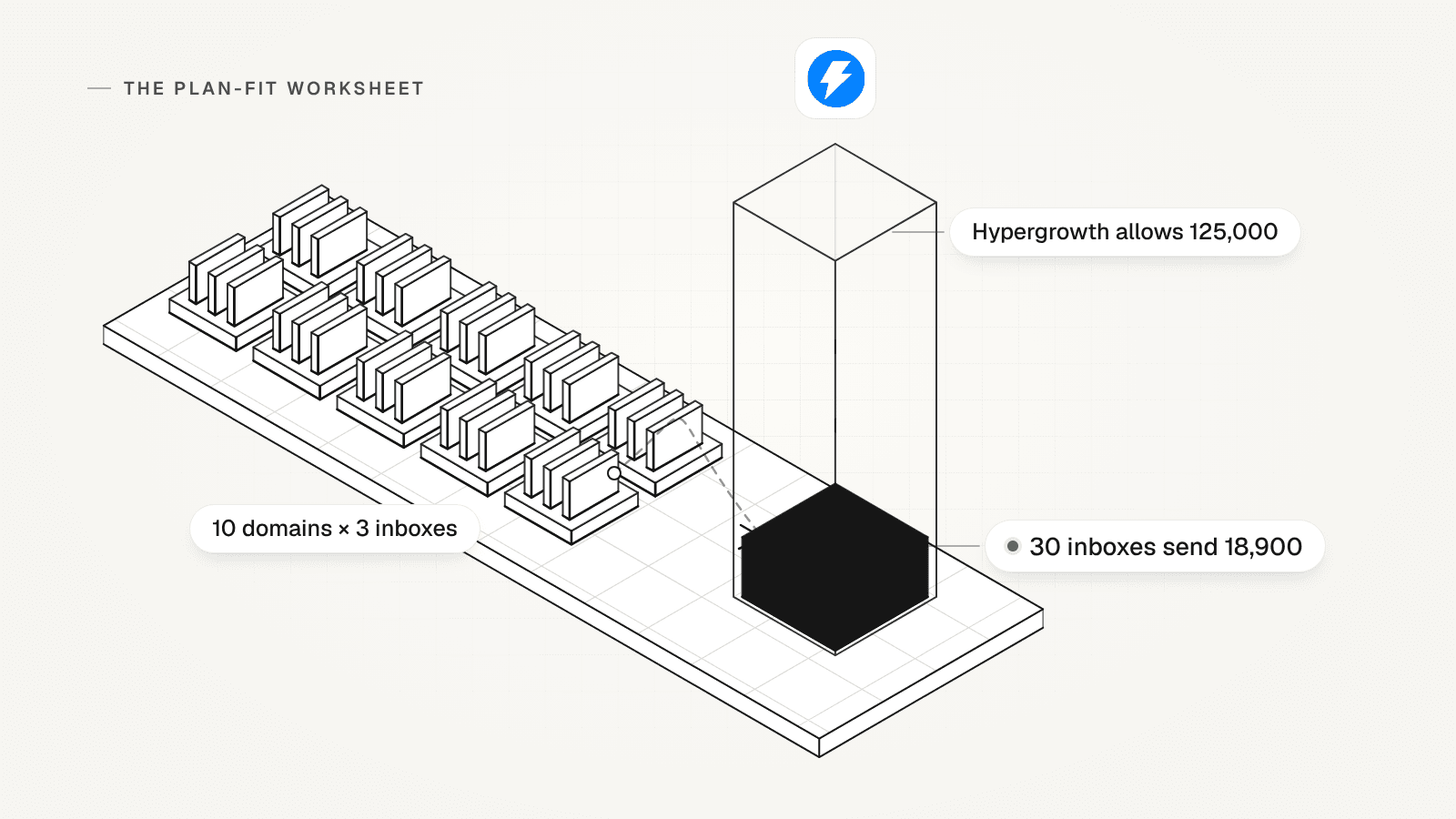
Monthly capacity = domains × inboxes per domain × emails per inbox a day × sending days. Ten domains of three inboxes, at 30 a day for 21 weekdays, send 18,900 emails a month.
- AirMail inboxes, Instantly's own sending accounts, are capped at 20 campaign emails a day and need three weeks of warm-up.
- Pre-warmed accounts can send from day one. Instantly suggests starting at 5 a day and going no higher than 20 to 25.
- Google Workspace caps a user at 2,000 messages a day, and Microsoft 365 a mailbox at 10,000 recipients a day. Instantly's 30 a day is far below both.
- Above 5,000 messages a day to Gmail accounts, Google adds rules, and it asks senders to keep spam rates below 0.10%.
Sources: Instantly help: campaign settings, Instantly help: when an account is ready for campaigns, Instantly help: AirMail accounts setup, Instantly help: pre-warmed domains and accounts, Gmail help: email sender guidelines, Google Workspace help: Gmail sending limits, Microsoft: Exchange Online limits
Which limits set your Instantly plan?
Emails a month, uploaded contacts and team logins decide most Instantly plans. Find the lowest plan that clears each line; the highest of those is your plan.

- Emails a month: 5,000 on Growth, 125,000 on Hypergrowth, 500,000 on Light Speed, plus 125,000 per add-on. Above that, a quote.
- Uploaded contacts at any one time: 1,000, 25,000 or 100,000, plus 25,000 per add-on.
- Team logins: Growth has no team invites; they start on Hypergrowth.
- Replies and the CRM: replying from Unibox starts on Hypergrowth, as does the CRM.
- Warm-up pool: past 100, 500 or 1,000 SMTP accounts, by plan, every account in the workspace drops to the weaker basic pool.
- Workspaces: each needs its own subscription, so two brands or clients pay twice.
- API (for connecting other tools), A/Z tests (several versions of one email) and a block list: the pricing page marks them Hypergrowth only; the plans comparison article lists them on Growth. Check before you buy.
Sources: Instantly pricing, Instantly help: plans overview, Instantly help: outbound plans comparison, Instantly help: outbound and credits add-on pricing, Instantly help: workspaces and team members, Instantly help: standard and basic warm-up pool, Instantly help: understanding your billing and charges
How do you pick an Instantly plan? Fill in this worksheet
Write one row per sending setup: a brand, client or market with its own domains. Use a normal month's numbers. Blank rows to copy are at the end of this page.
- Domains, and inboxes per domain. Instantly's done-for-you setup allows up to 5 inboxes on a domain.
- Emails per inbox a day: 30 by Instantly's advice, or 20 on AirMail.
- Sending days a month: about 21 on weekdays only.
- Warm-up weeks before the first cold email: at least 2, or 3 on AirMail.
- Emails per contact: the steps in your sequence. How many follow-ups to send is its own question.
- Leads to find in Lead Finder, and leads you bring and only verify.
- Team logins, and whether you want LinkedIn steps in the same sequence.
Sources: Instantly help: done-for-you Google email setup, Instantly help: campaign settings, Instantly help: when an account is ready for campaigns, Instantly help: AirMail accounts setup, Instantly help: data credit system
Which Instantly plan does the worksheet pick?
It picks the cheapest plan that clears your binding limit, the one line that forces the highest plan. Work through each row in this order:

- Floor: Growth fits up to 5,000 emails and 1,000 contacts, with no team invites. Up to 125,000 emails and 25,000 contacts, or a second login, needs Hypergrowth.
- Add-ons: Hypergrowth with one add-on costs $194 a month, and with two $281, both less than Light Speed. With three it costs $368, so take Light Speed at $358.
- Capacity check: at 30 a day for 21 days, an inbox sends 630 emails a month. Growth's 5,000 is about 8 inboxes' worth, Hypergrowth's 125,000 about 198 and Light Speed's 500,000 about 794.
- If the plan allows more than your inboxes can send, add inboxes and wait out warm-up before you buy a bigger plan.
- Hold: past 500,000 emails or 100,000 contacts, price Light Speed with add-ons and ask Instantly for a written quote. Its custom pricing starts above Light Speed.
- Credits: take the smallest Credits plan that covers leads found × 2 (× 1.5 with company details off) plus leads verified × 0.25.
Sources: Instantly pricing, Instantly help: plans overview, Instantly help: outbound plans comparison, Instantly help: outbound and credits add-on pricing, Instantly help: data credit system, Instantly help: campaign settings, Instantly help: workspaces and team members
What does an illustrative setup cost on Instantly?
This made-up setup costs $269.50 a month before lead credits, or $248.08 with the plan billed yearly. None of it is customer data.

A team of two sends from 10 domains with 3 inboxes each, all bought from Instantly:
- Capacity: 30 inboxes × 30 emails a day × 21 days = 18,900 emails a month, after 2 weeks of warm-up.
- Contacts: three emails each, so 6,300 new contacts a month; deleting finished leads keeps the count there.
- Binding limit: Growth fails on emails, contacts and the second login. Hypergrowth clears all three: $107 a month, or $85.58 billed yearly.
- Inboxes: 30 done-for-you Google accounts at $5 each, $150 a month.
- Domains: 10 at $15 a year each, $150 a year or $12.50 a month.
- Total before credits: $269.50 a month, or $3,234 a year. With the plan billed yearly, $248.08 a month, or $2,976.96 a year.
- Credits on top: verifying its own 6,300 leads takes 1,575 credits a month, so the 2,000-credit plan at $77, not the 1,500 at $47.
Sources: Instantly pricing, Instantly help: plans overview, Instantly help: done-for-you Google email setup, Instantly help: understanding your billing and charges, Instantly help: data credit system, Instantly help: campaign settings, Instantly help: when an account is ready for campaigns, Instantly help: workspaces and team members
When are more inboxes the fix, not a bigger plan?
When your plan allows more emails than your inboxes can safely send. A bigger plan raises the allowance, but only inboxes raise what you can send.
A second made-up team on Hypergrowth sends from 5 domains with 2 inboxes each, and wants 25,000 emails a month:
- Today: 10 inboxes × 30 a day × 21 days = 6,300 emails a month, about 5% of the 125,000 its plan allows.
- Light Speed would add $251 a month and not one more email.
- The fix: 40 inboxes send 25,200 a month. That is 30 more inboxes on 15 more domains, at 2 each.
- As done-for-you Google inboxes from Instantly: $150 a month, plus $225 a year for the domains.
- Time: the new inboxes need at least 2 weeks of warm-up before their first cold email.
Sources: Instantly pricing, Instantly help: campaign settings, Instantly help: when an account is ready for campaigns, Instantly help: done-for-you Google email setup
What does Instantly's price leave out?
Inboxes, domains, lead credits and LinkedIn steps sit outside the plan price. Instantly bills its Outreach, Credits and Inbox Placement plans as separate subscriptions.
- Inboxes bought from Instantly: AirMail $4, done-for-you Google $5 and pre-warmed Google $10 a month each, renewed on the 15th.
- Domains: $15 a year each. For done-for-you and pre-warmed accounts, Instantly keeps domain ownership and admin access and cannot transfer them.
- Those accounts still need an active Outreach plan. Without one, they pause when the trial ends.
- Inbox placement tests: $47 a month for one-time tests, or $97 with automated ones.
- LinkedIn: Instantly's own blog says it does not send LinkedIn messages, so another tool runs those steps.
Sources: Instantly help: plans overview, Instantly help: done-for-you Google email setup, Instantly help: pre-warmed domains and accounts, Instantly help: understanding your billing and charges, Instantly help: when an account is ready for campaigns, Instantly blog: how to A/B test LinkedIn outreach
How can you pay less for Instantly?
Bill the Outreach plan yearly first: it takes about 20% off. Then pay only for the limit that binds.
- Delete finished leads and old campaigns before you upgrade for contacts. The count updates within 10 minutes.
- Buy add-ons instead of Light Speed when one or two are enough: $194 or $281 a month against $358.
- An Outreach upgrade mid-cycle costs only the days left, and a downgrade turns unused time into account credit.
- Per email, a $5 Google inbox at 30 a day beats a $4 AirMail inbox capped at 20: over 21 days, about 0.8 cents against 0.95.
- Connect inboxes you already own: every plan connects and warms them at no extra charge.
Sources: Instantly pricing, Instantly help: uploaded contacts limits, Instantly help: outbound and credits add-on pricing, Instantly help: upgrade or downgrade your plan, Instantly help: campaign settings, Instantly help: AirMail accounts setup, Instantly help: pre-warmed domains and accounts, Instantly help: done-for-you Google email setup
What does the same volume cost on OXYGEN?
On OXYGEN, each managed Google or Microsoft inbox costs $4 a month with warm-up included, and sending an email costs no credits.
A .com domain costs $12.50 a year. Plans start at $49 a month per workspace, with no seat per user, and the credits a plan includes pay for the inboxes. Enter 30 inboxes and 10 domains in the calculator on OXYGEN pricing to see which plan covers them.
Tim Scheuer, OXYGEN's co-founder, announced managed Google and Microsoft inboxes with warm-up in July 2026. In September he wrote that teams could "finally cancel Clay, HeyReach, lemlist, Instantly and all the point solutions for signals and lead sourcing". That is a dated founder view, not a measured comparison. See OXYGEN vs Instantly row by row.
- Sequences: one sequence pairs email with LinkedIn or WhatsApp, never both. A reply on any channel stops the lead.
- LinkedIn: $34 a month per connected account, every action included.
- Daily limits: 25 campaign emails per inbox a day by default, adjustable up to 50, so 30 a day fits. A new inbox ramps up from 5 a day and reaches its limit after 9 sending days.
Sources: Tim Scheuer on LinkedIn: product update (July 2026), Tim Scheuer on LinkedIn: OXYGEN V3 launch (September 2026)
Copy the plan-fit worksheet
Copy one row per sending setup
One row for each brand, client or market.
SETUP: [name] domains: [ ] inboxes_per_domain: [up to 5] emails_per_inbox_a_day: [30, or 20 on AirMail] sending_days: [about 21 on weekdays] warmup_weeks: [at least 2, or 3 on AirMail] emails_per_contact: [steps in your sequence] leads_to_find: [ ] | leads_to_verify: [ ] team_logins: [ ] | linkedin_steps: [yes or no]Fill in the totals
Work out each total, with prices from the plans table.
inboxes = domains x inboxes_per_domain emails_a_month = inboxes x emails_per_inbox_a_day x sending_days contacts_to_upload = emails_a_month / emails_per_contact credits = leads_to_find x 2 (1.5 with company details off) + leads_to_verify x 0.25 first_cold_email = today + warmup_weeks inbox_and_domain_cost = inboxes x inbox price + domains x domain price / 12Apply the rule
Stop at the lowest plan that clears every line, then run the capacity check.
Growth: 5,000 emails, 1,000 contacts, no team invites
Hypergrowth: 125,000 emails, 25,000 contacts, team
Light Speed: 500,000 emails, 100,000 contacts
1 or 2 add-ons cost less than Light Speed
plan allows more than inboxes send -> add inboxes
past Light Speed -> add-ons or a written quote
binding_limit: [ ] | plan: [ ]
monthly_cost: [ ] | yearly_cost: [ ]
What OXYGEN does not do here
- One sequence pairs email with LinkedIn or WhatsApp, never both.
- No contact database of its own: lead lookups go to data providers and cost credits.
- Calls are in beta, and adding a sending account needs a paid plan.
- No default setting guarantees inbox placement.
Frequently asked questions
What is the Instantly Hypergrowth plan?
Hypergrowth is Instantly's middle Outreach plan, at 107 US dollars a month or 85.58 billed yearly. It allows 125,000 emails a month and 25,000 uploaded contacts, and adds team members, the CRM and add-ons.
How much does Instantly's Lead Finder cost?
Searching Lead Finder's own database is free. Credits go when it finds an email: 2 per lead with company details, the default, or about 1.5 on average for the email alone. Verifying a lead costs 0.25. Credits come from a separate plan, from 150 credits for 9 US dollars a month up to 200,000 for 1,700.
Is there a free trial of Instantly?
Yes: 14 days, with no credit card. The trial connects up to 2 email accounts, uploads up to 250 leads and sends up to 1,000 emails, with 1,000 welcome credits. When it ends, warm-up and campaigns pause, and an account that is not upgraded is deleted.
Does Instantly sell bundles?
Sometimes. Instantly's plans article lists bundles, an Outreach plan plus a Credits plan at 10% off, "if available". Its pricing page showed only the Outreach, Instantly Credits and VIP tabs on November 9, 2026, so check at checkout before you count on one.
Can Instantly send LinkedIn messages?
No. Instantly's own blog says it does not send LinkedIn messages or connection requests; it runs the email side of a multichannel sequence. On OXYGEN, one sequence pairs email with LinkedIn steps, at $34 a month per LinkedIn account.
Can I use Instantly and OXYGEN together?
Yes. OXYGEN can find leads and their work emails in a table and export them as a free CSV file for Instantly. To move, import the inboxes you own from an Instantly export into OXYGEN. Done-for-you and pre-warmed inboxes bought from Instantly stay there: Instantly keeps their domains.
Related
Linked from
Sources
- Instantly pricing, checked November 9, 2026
- Instantly help: plans overview, checked November 9, 2026
- Instantly help: outbound plans comparison, checked November 9, 2026
- Instantly help: uploaded contacts limits, checked November 9, 2026
- Instantly help: outbound and credits add-on pricing, checked November 9, 2026
- Instantly help: data credit system, checked November 9, 2026
- Instantly help: Lead Finder, checked November 9, 2026
- Instantly help: campaign settings, checked November 9, 2026
- Instantly help: when an account is ready for campaigns, checked November 9, 2026
- Instantly help: pre-warmed domains and accounts, checked November 9, 2026
- Instantly help: done-for-you Google email setup, checked November 9, 2026
- Instantly help: understanding your billing and charges, checked November 9, 2026
- Instantly help: upgrade or downgrade your plan, checked November 9, 2026
- Instantly help: workspaces and team members, checked November 9, 2026
- Instantly help: standard and basic warm-up pool, checked November 9, 2026
- Instantly help: free trial, checked November 9, 2026
- Instantly help: AirMail accounts setup, checked November 9, 2026
- Instantly blog: how to A/B test LinkedIn outreach, checked November 9, 2026
- Gmail help: email sender guidelines, checked November 9, 2026
- Google Workspace help: Gmail sending limits, checked November 9, 2026
- Microsoft: Exchange Online limits, checked November 9, 2026
- Tim Scheuer on LinkedIn: product update (July 2026), checked November 9, 2026
- Tim Scheuer on LinkedIn: OXYGEN V3 launch (September 2026), checked November 9, 2026
Updated November 9, 2026. OXYGEN's own prices and limits come from the product and its live price list. The other products named here are trademarks of their owners and are not affiliated with OXYGEN. Something out of date? Tell us.